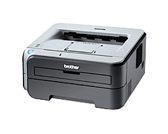
Drivers/Windows Server® 2003

Full Driver & Software Package

We recommend this download to get the most functionality out of your Brother machine. This is a comprehensive file containing available drivers and software for the Brother machine.

Language Version Size Release Date File
Español F1 16.38MB 01/20/2011 Download

How to Download and Install

Notes:

  • The instructions may vary depending on the Windows® OS version.
  • You must be logged on as an Administrator.

Notes (For Windows Vista® Users):

  • If the User Account Control prompt is displayed, click Continue.
  • If the Windows Security alert prompt is displayed, click Install this driver software anyway..
  1. Disconnect your Brother machine from your computer if you already connected an interface cable.
  2. Make a temporary folder on your HDD [hard disk drive] as the location to save the downloaded self-extracting file, e.g. C:\brodnt
  3. Download the file to the temporary folder.
  4. Once downloaded, double click on the downloaded file to extract it.
  5. Click "Yes" to start the installer.
  6. Please follow the installation screen directions.

If the installer does not start, click here to see the details of how to start the installer manually.


Update History
Version F1
  • Improved the installation.

Support OS
Windows Vista® (32-bit), Windows Vista® (64-bit), Windows® XP Home/Professional, Windows® XP Professional x64 Edition, Windows® 2000, Windows Server® 2008 (32-bit), Windows Server® 2008 (64-bit), Windows Server® 2003, Windows Server® 2003 x64 Edition

Compatible Model
HL-2140, HL-2170W

Content Feedback

Your feedback will be used to improve our support.

Step 1:  Please advise how helpful this software was.

Step 2:  If you have selected "Not helpful", please answer the following question.
Choose from the following list that is close to your "Not helpful" reason. (multiple answers allowed)
  • Installation procedure was difficult.
  • Error occurred while installing the software.
  • Could not understand how to use the software.
  • Could not find the software required.
  • Could not resolve the problem.
  • Other

Step 3:  Are there any comments you would like to add?
Please note this form is used for feedback only.