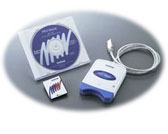
Software/Windows®7

Full Driver & Software Package (PED-Basic Ver1.07)

When you use PED-Basic on Windows Vista®/ Windows® 7,
please follow the procedure below to install these Driver and Software program.

If you use PED-Basic on Windows Vista®/ Windows® 7, never install the programs from the CD in your package!!
To prevent a problem, please install these programs instead using the CD.
(Version information : PED-Basic Ver1.07 and Driver Ver3.0)
Language Description Version Size Release Date File
English setupCRWDriver301PED.exe(Driver/Ver. 3.0) --- 3.52MB 01/31/2007 Download
English BasicUpTo107.exe(Software/Ver. 1.07) --- 4.46MB 01/31/2007 Download

How to Download and Install

* When you use PED-Basic on Windows Vista®/ Windows® 7, please follow the procedure below to install the latest Driver and Software program.

* If you use PED-Basic on Windows Vista®/ Windows® 7, never install the programs from the CD in your package!!
To prevent a problem, please install the following programs instead using the CD that was included with your original package.

 To use PED-Basic on Windows Vista®/ Windows® 7

Step1: Download the programs
Step2: Install the Driver for your card writer
Step3: Install the Software program

 Step1: Download the programs

1. Create a temporary folder (ex. C:\Temp) on your PC to save the update program files to be downloaded.
2. Click the "Download of Description setupCRWDriver301PED.exe(Driver/Ver. 3.0)" link above.
3. Select the previously created temporary folder (ex. C:\Temp) where the downloaded file should be stored.
Download the file.
4. Then click the "Download of Description BasicUpTo107.exe(Software/Ver. 1.07)" link above.
5. Select the previously created temporary folder (ex. C:\Temp) where the downloaded file should be stored.
Download the file.

 Step2: Install the Driver for your card writer

1. Double-click on the downloaded "setupCRWDriver301PED.exe" file from Explore.
The update process will automatically start.
2. Follow the instructions and proceed through the update process.

 Step3: Install the Software program

1. Double-click on the downloaded "BasicUpTo107.exe " file from Explore.
The update process will automatically start.
2. Follow the instructions and proceed through the update process.


Update History

Version ---


Support OS
Windows Vista®, Windows®7, Windows®8

Compatible Model
PED-Basic

Content Feedback

Your feedback will be used to improve our support.

Step 1:  Please advise how helpful this software was.

Step 2:  If you have selected "Not helpful", please answer the following question.
Choose from the following list that is close to your "Not helpful" reason. (multiple answers allowed)
  • Installation procedure was difficult.
  • Error occurred while installing the software.
  • Could not understand how to use the software.
  • Could not find the software required.
  • Could not resolve the problem.
  • Other

Step 3:  Are there any comments you would like to add?
Please note this form is used for feedback only.