Drivers/Windows®98SE

USB Driver for Windows®98SE

Please click here how to confirm  Windows®98SE.
Language Version Size Release Date File
Multilingual 1.00 0.10MB 08/10/2006 Download
Update History

Version 1.00

How to Download and Install

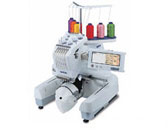
* Your machine can be connected to your computer, and the embroidery patterns saved on the computer can be temporarily recalled and used from the your machine by installing this "USB DRIVER" to your Windows® 98SE.
And also you need to install this driver when you update the version of your machine with USB.

 UNPACK the "Driver file"

1. Create a temporary folder (ex. C:\SewingMachine) on your computer to save the Driver file to be downloaded.
2. Click the "Download" above.
3. Select the previously created temporary folder (ex. C:\SewingMachine) where the downloaded file should be stored.
4. Download the file.
5. Double click the "usbnc.exe" file which you downloaded and display will be appeared. Click "OK".
Then three files will be made in the created temporary folder. These files are USBPR.sys, USBPRPDR.pdr, and Usbpr.inf.
  Windows98SE

INSTALL the Driver

1. Turn on the main power switch of your machine and plug the USB connector into the corresponding
connectors on your computer.
2. The Hardware Wizard will be launched automatically.
To install the new device driver for the USB Driver,
please select the "Search for the best driver for your device. (Recommended)" and click "Next".
  Windows98SE

Windows98SE
3. Please check the "Specify a location" and specify the previously created temporary folder (ex. C:\SewingMachine)
where the downloaded file should be stored.
The windows search the driver, so click "Next".
  Windows98SE

Windows98SE
4. The installing will automatically start and click the "Finish".
Then the installing of Mass Storage driver will automatically start.
  Windows98SE
5. Once the Hardware Wizard finishes,
the "Removable Disk" folder will be added in the "My Computer" folder on your Windows®98SE.
After this installing, the "Removable Disk" folder appears whenever you connect your machine to your computer.