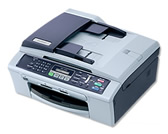
Drivers/Windows® XP Home/Professional

Full Driver & Software Package

Language Version Size Release Date File
English A 80.81MB 11/30/2006 Download
Update History

Version A

Did you know…?

A comprehensive file containing all available drivers for the Brother machine.

How to Download and Install

*NOTE:

  • If the drivers are already installed into your computer, uninstall them first before you install the new driver. To uninstall the current drivers, download the Uninstall Tool. To see how to download and use the Uninstall Tool, click here.

  • Unplug the FAX/DCP/MFC from the AC outlet and disconnect your FAX/DCP/MFC from your computer if you already connected an interface cable.

  • If you are using Windows® 2000/XP Professional, you must be logged on as the Administrator.
  1. Make a temporary directory on your HDD to save the downloaded self-extracting file, e.g. C:\bront
  2. Click on the "Download" button and download the file.
  3. Double click the file to extract it.
  4. You will find two folders: "Setupxxxx" (where xxxx = model name) and "Data" in the folder created in Step 3.
  5. Open the "Setupxxxx\yyy" directory (xxxx = model name yyy = language name) and double click "Setup.exe" while holding down the "Shift" key.
  6. The installation will start. Please follow the installation screen directions.