Brother Solutions CenterBrother Solutions Centerbrother at your side

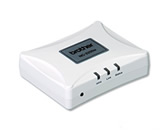
NC-2200w

| Register Product | Contact Us

Home > USA/ Canada/ Latin America > United States >

NC-2200w

Downloads
Download the latest drivers, software updates and utilities.
Manuals
Download the documentation updates and manuals.
FAQ's & Troubleshooting
Read the latest frequently asked questions and troubleshooting information.
Specification
Get a detailed breakdown of the machine specifications.

Information

  • Installing the Print Server

Top 5 FAQ's

  1. What is the default node name of a Brother Wireless Print/Scan Server?
  2. I cannot configure the NC-2200w. What can I do?
  3. I am using the Web browser to manually set the IP address of the NC-2200w. When I Submit the settings and select the "User Reset" option to activate the settings, the NC-2200w resets itself as normal. But when I print a configuration page, I see that the NC-2200w is not using the IP address I entered. Instead it's using a DHCP based address or an APIPA based address. Why is this happening?
  4. I have changed the NetBIOS name of the print server, but the name does not change. Why?
  5. Installing the Print Server.
NC-2200w


previous | top

Site Map | Legal | Privacy Policy | Local Web Site | Global Brother |