Home > USA/ Canada/ Latin America > United States >
HL-2140 > FAQ's & Troubleshooting > Maintenance > faq000154_036
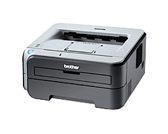
Replace the drum unit.
Follow the procedure below to replace the drum unit.
The Brother machine has separate consumables the toner cartridge and the drum unit. Verify you replace only the drum unit and not the toner cartridge. If you want to know their difference, refer to "What is the difference between the toner cartridge and the drum unit?"
Wait to unpack a drum unit until immediately before you put it in the printer. Exposure to direct sunlight or room light may damage the drum unit.
Make sure that you put in the toner cartridge properly, or it may separate from the drum unit.
Only when you replace the drum unit with a new one, you need to reset the drum counter. Do not reset the drum counter when you only replace the toner cartridge.
Click here to see the instructions with the flash animation (Opening a new window). [154 kb]
The animation instruction requires the installation of Adobe® Flash Player. Click here to download Adobe® Flash Player.
Site Map | Legal | Privacy Policy | Local Web Site | Global Brother |
Copyright © Brother Industries, Ltd. All Rights Reserved.